Choose the Right DNP DS620A Media.
Compare genuine DNP DS620 paper-and-ribbon kits for the DS620A — including standard 4×6, 5×7 and 6×8 media, perforated formats, sticker media, Metallic and Silver Pearl luxury media.
This guide explains print yields, specialty formats, photo booth strip options, panoramic printing and which media makes the most sense for your photo booth, event, studio or retail workflow.

Which DNP DS620A Media Should You Buy?
For most photo booths and high-volume event workflows, standard 4×6 DS620 media is the logical starting point. It delivers 800 standard 4×6 prints per case and can also produce 2×6 photo booth strips using the printer's supported cutter workflow.
Choose 5×7 when you specifically want that portrait format. Choose 6×8 when you need larger prints, square output, multi-print layouts or 6×14 and 6×20 panoramic capability.
DNP also offers specialized perforated, sticker, Metallic and Silver Pearl media for workflows where the finished print itself is part of the experience.
DNP DS620A Media Capabilities
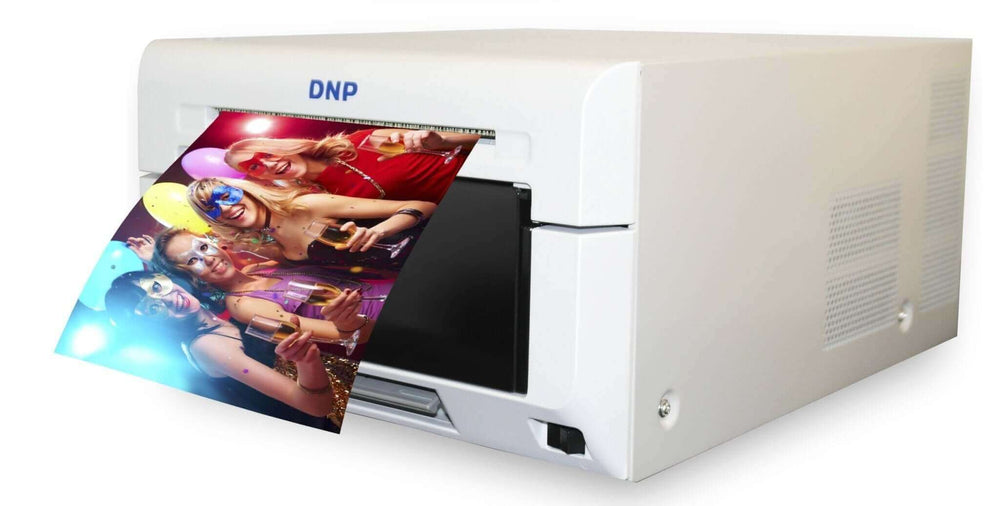
The DS620A is a compact professional 6-inch dye-sublimation printer designed for fast event, studio and retail photo production.
Its broad media family is one of the reasons the printer can support workflows ranging from conventional photo booths to premium portrait, promotional and panoramic printing.
DNP DS620A Media Comparison
The DS620A supports far more than three conventional photo sizes. DNP's current lineup includes standard media plus several perforated, sticker and luxury formats.
| Media | DNP Part / Family | Case Yield | Primary Result | Best For |
|---|---|---|---|---|
| 4×6 Standard | DS6204x6 | 800 prints | 4×6 + 2×6 cutter workflows | High-volume events & photo booths |
| 5×7 Standard | DS6205x7 | 460 prints | 5×7, 5×5 and supported layouts | Portraits & premium prints |
| 6×8 Standard | DS6206x8 | 400 prints | 6×8, 6×6, multi-print & pano | Maximum format flexibility |
| 4×6 Center Perf | DS6204x62S | 800 sheets | Two 4×3 sections | Tear-away portraits, coupons & promotions |
| 4×6 2" Single Perf | DS6204x6R2 | 800 sheets | 4×4 + 2×4 tear-away section | Photo + coupon / card layouts |
| 6×8 Triple Strip | DS6206x8TS | 400 sheets | Three 2×8 perforated strips | Branded activations & tear-away prints |
| 6×8 Triple Strip Sticker | DS6206x8S3S | 400 sheets | Three sticker strips | Promotions, activations & novelty products |
| Metallic | LXMM family | Varies by size | Metallic luxury finish | Premium photography & specialty output |
| Silver Pearl | LXSP family | Varies by size | Pearlescent luxury finish | Portraits, weddings & premium products |
DNP DS620A 4×6 Media
Standard 4×6 is the highest-yield conventional DS620A media format and a natural choice for photo booths and event printing.
- Standard 4×6 photographs for photo booths, events, schools and retail production.
- Supports 2×6 photo booth strip output using the DS620A's 2-inch cutting workflow.
- Two rolls per case, 400 prints per roll.
- High media capacity means fewer roll changes than the larger standard formats.
DNP DS620A 5×7 Media
Dedicated 5×7 media is well suited to portraits, wedding photography and event packages where a larger traditional photograph adds value.
- True 5×7 photo output.
- Supports 5×5 square and compatible multi-print workflows.
- Two paper rolls and matched ribbons per case.
- Useful as a larger-format event or portrait option.


DNP DS620A 6×8 Media
Standard 6×8 media unlocks some of the DS620A's most flexible print workflows, including large photographs, square prints, multi-print layouts and panoramic output.
Useful 6×8 Media Workflows
DNP DS620A Perforated & Sticker Media
DNP offers several distinct perforation patterns. They are not interchangeable, so choose based on the physical pieces you want the finished sheet to separate into.

DS6204x62S — 4×6 Center Perf
The perforation runs through the middle of the 4×6 sheet, allowing one print to separate into two approximately 4×3 photographs.
This format is useful for dual keepsakes, school or sports workflows, promotions and tear-away applications.
View 4×6 Center PerfDS6204x6R2 — 4×6 2" Single Perf
The single perforation creates a square photographic area plus a smaller tear-off section that can be designed as a card, coupon or promotional piece.
View 4×6 Single PerfDS6206x8TS — 6×8 Triple Strip
This specialty 6×8 format is physically perforated into three long strips and is useful for event promotions, branded layouts and tear-away photo products.
View 6×8 Triple StripDS6206x8S3S — Triple Strip Sticker
Sticker media adds an adhesive backing to the specialty triple-strip workflow, making it useful for brand activations, promotions, parties and novelty products.
View Sticker MediaThe DS6204x62S center-perforated 4×6 product creates two 4×3 sections. For ordinary 2×6 photo booth strips, use the DS620A's supported 2-inch cutter workflow with compatible standard media and software.
Metallic & Silver Pearl Luxury Media
DNP's Luxury Media gives DS620A owners a way to offer a visibly different premium print product without adding another printer.
DNP currently offers both Metallic and Silver Pearl media for the DS620A in multiple print sizes.
Useful for vivid images, action photography, dramatic colors, branded events and specialty photographic products.
Useful for portraits, weddings, premium event products and photographs where the surface itself adds visual interest.

How to Print 2×6 Strips on the DS620A
The easiest way to make traditional 2×6 photo booth strips is not to use center-perforated paper. The DS620A supports a 2-inch cutter workflow.
Load Compatible Media
Standard 4×6 media is a common choice for conventional two-strip photo booth output.
Build the 2×6 Layout
Configure the strip design in your compatible photo booth or printing software.
Enable 2-Inch Cutting
Use the appropriate DNP printer-driver and software settings so the DS620A cuts the printed sheet into strips.
Use Current Driver Guidance
DNP maintains current support documents for enabling 2-inch cuts on both Windows and Mac. Software menus can change, so current DNP guidance is preferable to an old step-by-step screenshot.
Print 6×14 & 6×20 Panoramas with Standard 6×8 Media
One of the DS620A's most useful specialty capabilities is panoramic output — without requiring a dedicated panoramic paper roll.
DNP specifies standard DS620A 6×8 media for both 6×14 and 6×20 panoramic output.
Standard 6×8 DS620 media is loaded in the printer.
DS620A firmware v1.52 or later is required.
Use a supported workflow such as DNP Hot Folder Print v2.2+ or WCM Plus.
During printing the paper exits and rewinds as the panorama is produced in sections.
DNP specifies that standard and enlargement print trays should not be used during panoramic printing.
DS620A Media Handling Best Practices
Store Media Properly
Keep unopened media in a cool, dry location away from direct sunlight and excessive heat.
Keep Paper & Ribbon Matched
Treat each paper-and-ribbon set as a matched consumable system rather than mixing partially used components from unrelated kits.
Avoid Dust & Fingerprints
Keep exposed paper and ribbon clean and handle paper carefully when loading or servicing the printer.
Test After a Media Change
Confirm print size, orientation, cutter behavior and finish before beginning production at an event.
Carry Backup Media
Bring more consumables than your exact calculated event requirement so unexpected reprints do not stop production.
Follow DNP Maintenance Guidance
Use manufacturer cleaning and troubleshooting instructions rather than improvised procedures that could damage the printer.
Having a DS620A Printing Problem?
A media-related symptom does not automatically mean the media itself is defective. The printer, cutter, media path, driver, color profile and installation can all affect output.
DNP maintains model-specific instructions for several common DS-series issues, including white lines, torn ribbons, cutter jams, paper-path problems, color management and 2-inch cutting.
Buy DNP DS620A Media from an Authorized Dealer
EventPrinters.com is operated by Southtrend Corp., a Miami-based company serving the professional photo printing industry since 1996.
We supply genuine DNP printers, paper-and-ribbon media kits and accessories to photo booth operators, event photographers, studios, attractions, retail photo businesses and professional imaging customers.
If you are not sure which DS620 media format matches your print size or specialty workflow, contact us before ordering.

DNP DS620A Resources
Frequently Asked Questions
What media does the DNP DS620A use?
The DS620A uses DNP DS620 media. Standard sizes include 4×6, 5×7 and 6×8. DNP also offers perforated, sticker, Metallic and Silver Pearl specialty media for the DS620A platform.
Are DS620 and DS620A media the same?
The current printer is the DS620A, while DNP commonly identifies the consumable family as DS620 media. Products such as DS6204x6, DS6205x7 and DS6206x8 are the appropriate standard media kits for the DS620A.
How many 4×6 prints are in a DS620A media kit?
Standard DS620 4×6 media includes two rolls with 400 prints per roll for 800 total 4×6 prints per case.
How many 5×7 prints are in a DS620A media kit?
Standard 5×7 DS620 media includes two rolls with 230 prints per roll for 460 total 5×7 prints per case.
How many 6×8 prints are in a DS620A media kit?
Standard 6×8 DS620 media includes two rolls with 200 prints per roll for 400 total 6×8 prints per case.
Can the DS620A print 2×6 photo booth strips?
Yes. The DS620A supports 2-inch cutting. Standard compatible media can be used with the appropriate driver and photo booth software layout to create 2×6 strips.
Does DS6204x62S center-perforated media make two 2×6 strips?
No. DS6204x62S is a 4×6 center-perforated format that separates into two approximately 4×3 pieces. Traditional 2×6 photo booth strips are normally produced using the DS620A's 2-inch cutter workflow.
What is DS6204x6R2 media?
DS6204x6R2 is a 4×6 specialty format with a 2-inch single perforation. It can create a 4×4 photographic section plus a smaller 2×4 tear-away area useful for coupons, promotional cards and event layouts.
What is DS6206x8TS Triple Strip media?
DS6206x8TS is DNP's 6×8 Triple Strip perforated media. It is designed to separate a 6×8 sheet into three long 2-inch-wide sections.
Does DNP make sticker media for the DS620A?
Yes. DNP lists DS6206x8S3S as Triple Strip Sticker Media for the DS620A. Availability can vary, so check the current EventPrinters.com DS620A media collection.
Does DNP offer Metallic media for the DS620A?
Yes. DNP currently lists Metallic luxury media for the DS620A in multiple sizes. These premium single-roll media kits create a distinctive metallic photographic appearance.
Does DNP offer Silver Pearl media for the DS620A?
Yes. Silver Pearl is another DNP Luxury Media option available for the DS620A in multiple sizes. It provides a different pearlescent presentation from conventional standard photo media.
Can the DS620A print 6×14 and 6×20 panoramas?
Yes. DNP supports both 6×14 and 6×20 panoramic prints using standard 6×8 DS620 media. DNP currently specifies DS620A firmware v1.52 or later and a supported panoramic workflow such as Hot Folder Print v2.2 or later or WCM Plus.
How much media does a DS620A panorama use?
DNP states that a 6×14 panorama uses the equivalent of two 6×8 prints of media, while a 6×20 panorama uses the equivalent of three 6×8 prints.
Can the DS620A print square photos?
Yes. DNP currently lists 4×4, 5×5 and 6×6 among the DS620A's supported print sizes.
Do I need different media for glossy and matte prints?
Standard DS620A workflows can produce different surface finishes without changing to a completely separate standard paper roll. Available finish options depend on the current driver, firmware and printing workflow.
Can I use DS820A or RX1HS media in a DS620A?
No. Those printer families use different media systems. Use media specifically designed for the DS620A / DS620 platform.
Where can I buy genuine DNP DS620A media?
EventPrinters.com is an Authorized DNP Dealer supplying genuine DS620A printers, paper-and-ribbon media and accessories from Miami, Florida.
Shop Genuine DNP DS620A Media
Choose standard 4×6, 5×7 or 6×8 media or explore DNP's perforated, sticker, Metallic and Silver Pearl options. If you're unsure which format is right, contact us before ordering.