How to Start a Photo Booth Business - Complete Guide
Updated August 31, 2026 · In-depth 2026 guide
How to start a photo booth business
A working guide to booth types, professional printers, media planning, software, budgets, pricing, marketing and event-day operations — written by a printer dealer who ships this equipment every week, not by a booth manufacturer selling you a package.
Short answer
To start a photo booth business you need a capture device (camera or tablet), lighting, booth software, a reliable printing workflow if physical prints are part of your offer, compatible media, transport cases, proper business setup, insurance and a client contract, plus a way for customers to find and book you. A lean open-air setup is often planned around $3,000 to $6,000, a more complete professional system around $5,000 to $10,000, and mirror, enclosed or multi-booth operations can exceed $10,000. If printing is central to your package, the printer is one of the most consequential hardware decisions because it affects guest wait time, print formats, booth dimensions and recurring media cost.
Written by
The EventPrinters.com team at Southtrend Corp., Miami.
Experience
In professional photo printing since 1996. Authorized dealer for the printer brands we sell and support.
How we verify
Printer specifications, media yields and compatibility notes are checked against current manufacturer documentation and product literature. Third-party software listings are editorial and uncompensated.
Questions
Miami warehouse. Call 305-653-0037, 9am–5pm ET, or email info@eventprinters.com.
What this guide covers
Sixteen sections, in the order you will actually need them. Jump to any part.
Section 1 of 16
Is a photo booth business a fit for you?
Photo booth rental has a low barrier to entry and healthy margins, which is exactly why every market has both excellent operators and people who quit after one season. The equipment is the easy part. The business is a weekend service business with physical logistics.
Before spending anything, be honest about whether the shape of the work fits your life.
It tends to work well if
- Your evenings and weekends are genuinely free from spring through fall
- You can lift and carry roughly 40 to 80 pounds of gear in stages
- You own or can borrow a vehicle that fits a booth, a printer case and a backdrop stand
- You are comfortable talking to strangers and running a line of guests
- You can stay calm when something fails in front of 150 people
- You want event-based income rather than a fixed weekly schedule
It tends to go badly if
- You expect bookings without marketing effort in the first six months
- You plan to buy the cheapest possible printer and consumables
- You cannot commit to Saturday nights for most of the year
- You want passive income; this is service work with setup and teardown
- You have no cash reserve for a backup part or a second media case
Where the bookings actually come from
Most new operators picture weddings, then discover the calendar fills from several directions. Understanding the mix helps you buy the right equipment the first time.
Seasonality is real. In most U.S. markets, May through October carries the weddings, November and December carry corporate parties, and January through March is slow. Plan cash flow so the quiet quarter does not force you to sell equipment. Operators in warm-weather markets such as South Florida see a longer wedding season but a heavier storm-season cancellation risk, which is a contract issue rather than an equipment issue.
Section 2 of 16
Set up the business before the first paid event
A photo booth is fun. Taking a deposit is a commercial transaction. Handle the administrative layer before money changes hands, because venues, corporate clients and planners will ask for proof of it.
Business structure
Sole proprietorship, LLC or corporation, chosen with an accountant who knows your state. Most single-owner operators form an LLC for liability separation, but the right answer depends on your tax situation, not on what a blog recommends.
Registration and tax
Business name registration, EIN, local licenses and a sales tax account if your state taxes equipment rental or event services. Many states treat photo booth rental as taxable tangible rental, so confirm before you quote your first package.
Insurance
General liability is commonly requested by venues, often at one or two million dollars, plus inland marine or equipment coverage for gear in transit. Venues typically want a certificate of insurance naming them as additional insured, sometimes two weeks before the event.
Business banking
A separate business account and a card reader or invoicing tool. Mixing personal and business money is the fastest way to lose track of whether an event was actually profitable.
What belongs in your client contract
Have an attorney review your template once. It will pay for itself the first time a wedding moves date or a venue has no accessible outlet.
- Deposit amount and whether it is refundable
- Final payment date, before the event
- Exact service hours and what counts as idle time
- Overtime rate and how it is authorized on site
- Cancellation and date-change terms
- Travel radius and fees beyond it
- Client responsibilities: level floor space, dedicated power, load-in access
- Setup and teardown windows, and access time required
- What happens if the venue delays your access
- Equipment damage caused by guests
- Image usage and privacy consent for sharing and marketing
- Force majeure, including weather and venue closure
Power is a contract item, not an afterthought. Write into your agreement that the client must provide a dedicated grounded outlet within a stated distance of your setup location. Dye-sublimation printers draw meaningfully more current during a print cycle than in standby, and sharing a circuit with a DJ rig or a catering warmer is a common cause of mid-event failures.
Starting a U.S. business? The Small Business Administration maintains a current guide to structures, registration, tax IDs and licenses.
Visit SBA.govThis section is general information, not legal, tax or insurance advice. Requirements vary by state, county and individual circumstances.
Section 3 of 16
Choose your booth type
Your booth type determines your vehicle, your setup time, your printer placement, the software you can run and the clients you can realistically serve. Decide this before buying hardware, because a printer chosen for an open-air rig may not fit inside a mirror enclosure.
Open-air booth
A camera or tablet on a stand with lighting and a backdrop, no enclosure. The most common starting point: lowest cost, fastest setup, easiest transport, and it holds a crowd in the photo rather than hiding it.
Best for: new operators, weddings, corporate, schools, tight venues.
Mirror booth
A full-length interactive mirror with touch animations. Premium presence and premium pricing, but heavy, fragile in transit and demanding about printer dimensions because the printer usually lives inside or behind the frame.
Best for: weddings, quinceañeras, upscale events. Check first: printer height and cable clearance.
Enclosed booth
A physical shell guests step into. Controlled lighting, nostalgic appeal, guest privacy for the sillier poses. Slower throughput per hour and a larger footprint, but excellent for permanent installations.
Best for: venues, attractions, retail, permanent revenue.
360 video booth
A rotating arm orbits a platform to produce short slow-motion videos. Strong social output and high perceived value, but it needs floor space, a safety-conscious attendant and clear guest flow. It produces no prints unless you pair it with a printing booth.
Best for: activations, parties, social-first clients. Consider: selling it as an add-on to a printing booth.
Glam and beauty booth
Black-and-white styling with skin-smoothing retouch and flattering studio light, made famous by celebrity events. It is mostly a lighting and template discipline rather than different hardware, and it commands premium pricing where the look is in demand.
Best for: weddings, sweet sixteens, influencer-adjacent markets.
Roaming and add-on formats
Handheld roaming booths, selfie pods, audio guest books and AI portrait stations are increasingly sold as upsells beside a main booth. They add revenue per event without adding a second vehicle load.
Best for: raising average booking value once your core booth is reliable.
The practical first-year strategy: start with one open-air printing booth you can set up alone in 30 minutes, learn the logistics of real events, then add a specialty format once you know which upsells your market actually buys. Starting simple reduces the number of technical and logistical variables you have to learn at the same time.
Section 4 of 16
Choose the right photo booth printer
If physical prints are part of your package, the printer is one of the hardware decisions that affects your business for the longest time. It influences guest wait time, print formats, media changes, booth dimensions, transport weight and your recurring consumable cost.
There is no single best photo booth printer. The right choice depends on what you value most: speed, roll capacity, portability, front-loading access, full 6-inch format support or specialty media. The seven models below are current professional printers we would consider for a new photo booth or event-printing business in 2026. Discontinued legacy printers are intentionally not included.
Why professional dye-sublimation?
Professional event printers commonly use dye-sublimation because the workflow is well suited to live events:
- Prints leave the printer dry and ready for guests to handle immediately
- Paper and ribbon are matched sets with known yields, which makes event planning and cost-per-print calculations predictable
- There are no liquid-ink nozzles to clog when the printer sits between bookings
- Professional models are designed for repeated event, kiosk and on-location printing rather than occasional home use
Inkjet and instant-film systems can work for specialized or low-volume concepts, but compare their throughput, consumable cost, maintenance requirements and reprint workflow carefully before using them as the core printer for a busy photo booth.
The five things to compare, in order
First
Print formats. Confirm the exact sizes and strip workflows you intend to sell, and whether specific media, spacers or firmware are required.
Second
Speed. A few seconds per print can become meaningful when a line forms and many sessions are printing back to back.
Third
Media capacity. Prints per roll affects how often you interrupt service to reload during long events.
Fourth
Size and weight. Measure the booth cavity, ventilation space and vehicle before ordering. Height and media-door clearance matter inside enclosures.
Fifth
Media availability and support. Confirm that genuine, model-specific media and current manufacturer support are available where you operate.
Seven professional photo booth printers to compare
The specifications below were rechecked against current manufacturer information and current EventPrinters.com product documentation in August 2026. Manufacturer specifications, firmware, available media and warranty terms can change, so verify the current product page before purchasing.
Speed + format flexibility
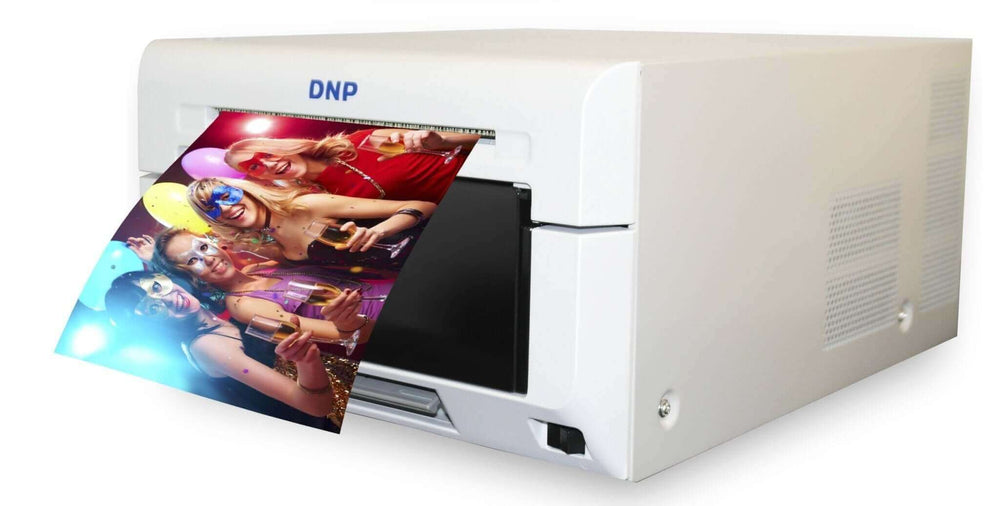
DNP DS620A
A highly versatile 6-inch professional dye-sublimation printer for photo booths and event photography. Its 8.3-second 4×6 speed, compact 6.7-inch height and broad format support make it a strong all-around choice when one printer needs to cover traditional strips, standard photos, square prints and premium panoramic products.
- Supports 2×6 strips, 4×6, 5×7, 6×8 and square formats
- Supports 6×14 and 6×20 panoramic output with the appropriate DNP workflow
- 400 standard 4×6 prints per roll, 800 per two-roll case
- Multiple finish options are available from compatible DNP media
- A strong fit for weddings, corporate events, schools and high-traffic photo booths
High 4×6 roll capacity
DNP DS-RX1HS
The DS-RX1HS is designed for operators who value long uninterrupted print runs. It is slower than the DS620A, but its 700-print 4×6 roll capacity can reduce media changes during long weddings, school events, festivals and other high-volume jobs.
- 700 standard 4×6 prints per roll, 1,400 per two-roll case
- Supports 2×6 strips, 4×6, 5×7, 6×6 and 6×8 workflows
- USB iSerial supports multi-printer workstation configurations
- 300 dpi professional dye-sublimation output with glossy and matte finishing options
- A strong fit when reducing mid-event media changes matters more than minimum print time

Ultra-compact portability
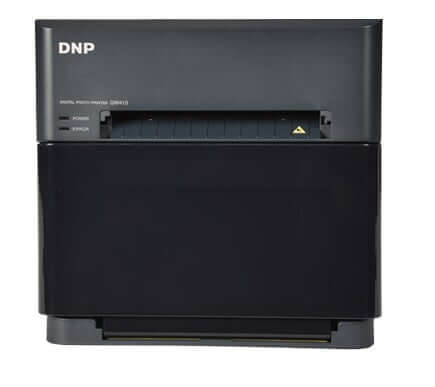
DNP QW410
The QW410 is DNP's smallest and lightest professional dye-sublimation event printer. At about 13 pounds, it is attractive for roaming teams, small booths, passport and ID workflows, tablet-based systems and operators who load in alone. Its trade-off is lower media capacity and slower 4×6 output than the larger 6-inch printers.
- Approximately 13 lb with an exceptionally small footprint
- Supports 4×6, 4×4, 4.5×4.5 and 4.5×8 formats, plus additional supported sizes with current firmware and drivers
- 150 standard 4×6 prints per roll, 300 per two-roll case
- Perforated media options support photo-booth-style products
- Optional DNP wireless and portable-battery workflows are available for compatible setups
Fast + lightweight 6-inch printing
HiTi P630A
The HiTi P630A combines fast 4×6 output with a slim 6.7-inch height and an approximate 23-pound printer weight. It is especially compelling for mobile photo booth operators who want full 6-inch event formats without carrying a heavier printer.
- Approximately 8.9 seconds for a standard 4×6 print
- 430 standard 4×6 prints per roll, 860 per two-roll carton
- Supports 2×6 strips, 4×6, 5×7, 6×6, 6×8 and additional supported specialty formats with the correct print kit
- USB 2.0 is standard; compatible wireless workflows require the appropriate optional HiTi accessory
- A strong fit for compact booths, kiosks and frequent one-person transport

Front-loading booth integration
HiTi P525L
The HiTi P525L remains a practical professional event printer for operators who value front-loading media access and an on-printer display. Those features can be useful in cabinets and booth enclosures where rear access is limited. Its 4×6 roll carries 500 prints, giving it more per-roll capacity than several faster alternatives.
- Front-loading paper and ribbon access can simplify service inside booth enclosures
- Approximately 12.8 seconds for a standard 4×6 print
- 500 standard 4×6 prints per roll, 1,000 per two-roll carton
- Supports 2×6 strips, 4×6, 5×7, 6×6, 6×8 and additional supported sizes with the correct media
- Glossy and matte finishing are selectable through compatible printer settings

Compact full 6-inch platform
Sinfonia CS2
The Sinfonia Color Stream CS2, model CHC-S6145, is one of the lighter full 6-inch professional event printers in this group. At roughly 22 pounds, it is easy to transport while still supporting traditional 4×6 prints, 2×6 strip workflows and output up to 6×8.
- Approximately 11 seconds for a 4×6 print
- 300 standard 4×6 prints per roll, 600 per two-roll box
- Supports 4×6, 5×7 and 6×8 plus compatible strip and square workflows
- 5×7 printing requires the appropriate spacer; verify current included accessories before ordering
- A strong fit for operators who want a relatively light full-size 6-inch printer

Specialty multimedia printing
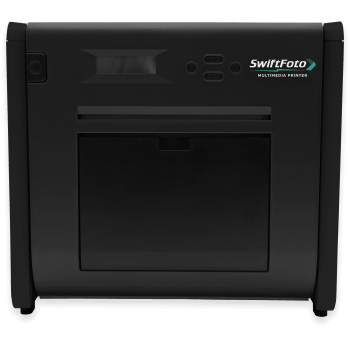
SwiftFoto KSF-10R
The SwiftFoto KSF-10R is different from a conventional event printer because its platform supports multiple specialty media types in addition to standard photo paper. That gives a booth business a way to sell metallic, sticker, translucent, high-definition and holographic-style products from one printer when the corresponding media is available.
- Approximately 12.6 seconds for a standard 4×6 print
- 500 standard 4×6 prints per roll, 1,000 per box
- Supports 2×6 and 4×6 output, with larger formats supported when the corresponding media is available
- Specialty media options include metallic, sticker, translucent, high-definition and holographic products
- Best suited to operators who want differentiated print products rather than the lowest transport weight
Match the printer to your priority
Ask about warranty and service before you buy
A printer failure before a paid event is a business problem, not just a technical problem. Warranty programs and service terms differ by manufacturer and can change. Confirm who provides warranty support, what registration or proof of purchase is required, what exclusions apply and what your backup plan will be if the printer is unavailable.
Buying used: what to check
- Ask for the lifetime print count and service history; the thermal print head is a wear component.
- Confirm the exact model and firmware before ordering media. Current RX1HS media can support compatible original RX1 printers, but original RX1 firmware history matters.
- Ask whether any remaining warranty is transferable and what documentation is required.
- Confirm which accessories are included, including spindles, trays, spacers, power cable and USB cable.
- Inspect the media path and print-head area for dust, adhesive residue and physical damage.
- Print a full-coverage test image and inspect it for repeating lines, color problems and transport marks.
- Before buying a discontinued printer, confirm that genuine media and service are still realistically available in your market.
Not sure which printer fits your booth?
Tell us your booth type, available printer space, the print sizes you plan to sell and the largest events you expect to serve. We can help narrow the list before you commit to a printer and media family.
Ask us before you buy Compare professional printers See printer bundlesSection 5 of 16
Plan your printer media
Paper-and-ribbon media is the primary printer consumable cost per print, and running out of compatible media is a preventable cause of printing downtime. Dye-sub media is sold as matched paper-and-ribbon kits, so print yield is predictable once you know the correct kit for your printer.
Standard 4×6 yields by printer
These are standard 4×6 capacities for the seven current printers compared above. Always order the exact media kit specified for your printer model.
How much media should you bring?
There is no reliable prints-per-guest rule, because volume is driven by your package and your software configuration, not by headcount. A booth that prints one copy per session uses a fraction of the media of a booth that prints a copy for every person in the frame plus a guest-book copy.
Media planning formula
Expected sessions × copies per session + guest-book copies + reserve
Do not assume a universal sessions-per-hour number. Throughput changes with group size, retakes, sharing steps, guest interaction, print layout and whether an attendant is actively moving the line. Estimate sessions from your own test events, multiply by the copies promised per session, add guest-book or client copies, and then carry a safety reserve.
Strip math, worked through
Many professional 6-inch event-printer workflows can produce two 2×6 strips from one 4×6 media sheet when the printer, driver and booth template are configured for that format. Some DNP 6-inch workflows can also produce four 2×6 strips from a 6×8 sheet. Verify the exact cutting and media requirements for your printer before the event.
- 75 sessions, 2 strips each, equals 150 strips
- 150 strips at two per 4×6 sheet equals 75 sheets of media consumed
- Add a guest-book strip per session and you are at 225 strips, or about 113 sheets
This is why strip packages are attractive: guests receive two prints while you consume one sheet. Price your unlimited-print packages with this in mind rather than guessing.
Media handling rules
- Never mix paper and ribbon from different sets; they are matched and counted together
- Media is model-specific. DNP, HiTi, Sinfonia and SwiftFoto print kits should not be assumed to be interchangeable across printer families
- Keep kits sealed until you load them; dust on paper becomes a defect on every print after it
- Store at room temperature and away from humidity swings; a hot car trunk in summer is not storage
- Handle rolls by the edges and keep fingerprints off the print surface
- Label partly used rolls with the remaining count when you pull them from a printer
Inventory discipline
- Never plan to finish an event on your last theoretical print
- Carry a full spare roll or kit to every booking, unopened, in the vehicle
- Set a reorder trigger, such as reordering whenever you drop below two full cases
- Use manufacturer-specified, model-compatible media from a reputable source and inspect packaging before loading it
- Maintain enough inventory for upcoming booked events plus a safety reserve, and reorder before you reach your minimum stock level
The recurring-cost reality: media is where a photo booth business quietly makes or loses margin. Choose your printer knowing you will buy its consumables for years, and confirm that the media is easy to source in your country before you commit to a model.
Section 6 of 16
Everything besides the printer
A booth is a system. Every part of it has to survive a car, a loading dock and four hours of guests.
Camera or tablet
A tethered DSLR or mirrorless body gives you more control over lens choice, flash synchronization and low-light image quality. Tablet-based booths can be lighter and simpler to build. Whichever route you choose, verify your exact camera or device against your software's current compatibility list before purchase.
Lighting
Consistent lighting is one of the biggest contributors to consistent results. A flash with a softbox can freeze motion and provide repeatable exposure; continuous LED lighting is easier to preview and is useful when you also capture video or GIFs. Test your lighting under event conditions instead of relying on the venue's ambient light.
Backdrop and stand
Buy two or three backdrops that suit different event styles, plus a stand that is stable when a group leans on it. Wrinkle-resistant fabric saves you steaming in a parking lot. Check the ceiling height and footprint your venues allow.
Power and cabling
A heavy-gauge extension cord, a surge-protected strip, gaffer tape, cable ramps or mats for trip hazards, and spare USB cables. Keep the printer off shared circuits with high-draw equipment. Carry a small UPS if you work venues with unstable power.
Printer case and transport
A padded case protects the print head and media path from vibration and dust. A folding cart turns a three-trip load-in into one. This is the least glamorous purchase that most extends the life of your printer.
Printer carrying casesPrint catcher tray
Prints landing on a carpet or a wet bar top are ruined prints. A proper catch tray is inexpensive and keeps output clean while you are busy with guests.
Printer traysProps
Build reusable sets by event type: weddings, birthdays, quinceañeras, graduations, corporate. Durable PVC props survive many more events than paper or foam, and Spanish-language sets matter in a large share of U.S. markets.
Photo booth propsPresentation products
Photo folders, albums and magnets turn a print into a keepsake and are among the easiest add-ons to sell. A branded folder also carries your name home with every guest.
Photo folders Albums MagnetsOptional wireless workflow
DNP WCM Plus
Most professional booths print over a direct USB connection, which is the most reliable method. If your workflow is tablet or phone based, the WCM Plus adds wireless and network printing to compatible DNP printers and supports WCM Print, AirPrint/IPP, hot folder and SFTP workflows. It has three USB ports, so one module can drive up to three compatible DNP printers for multi-format setups.
DNP lists the DS620A, DS820A, QW410, DS-RX1HS, DS40 and DS80 as compatible models.
View WCM Plus Wireless printing guide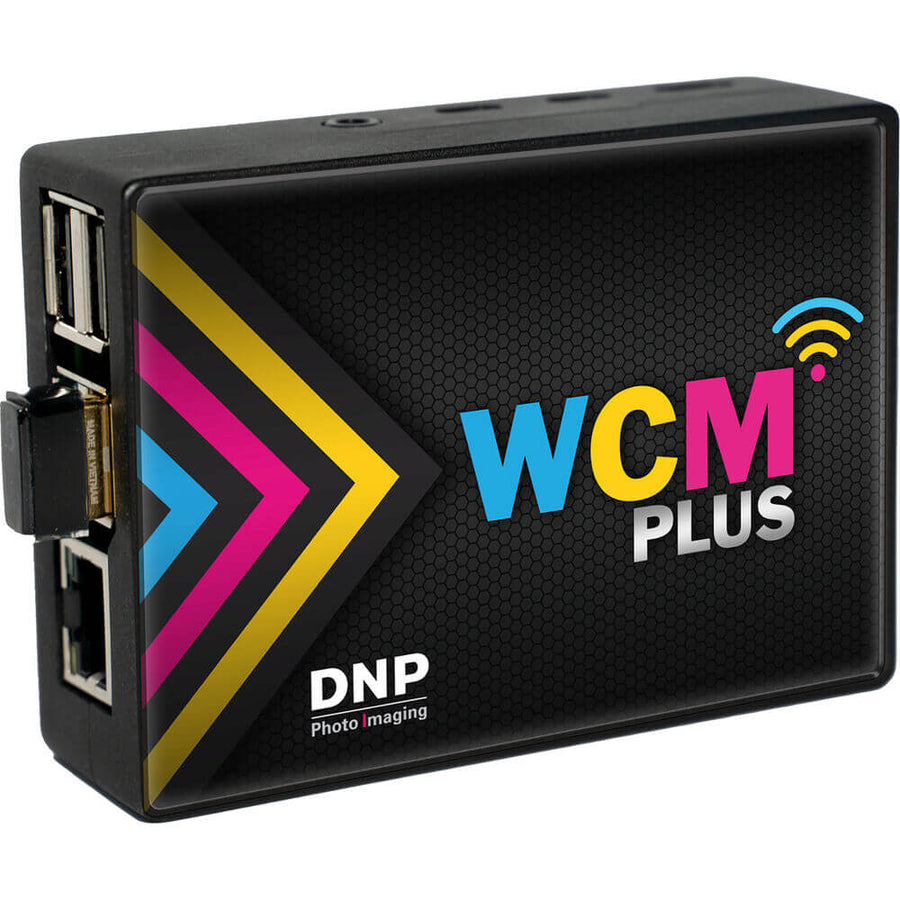
Section 7 of 16
Choosing photo booth software
Your software controls capture, the touchscreen experience, print layouts, sharing, galleries, video, GIFs, branding and data capture. It is also the component most likely to determine which camera and printer you can use, so choose it in parallel with the hardware, not after.
Independent software disclosure
EventPrinters.com does not sell, license or resell any photo booth software listed below, and we receive no commissions, referral fees, affiliate compensation or other benefit from these companies for including them.
They are examples of established platforms a new operator may want to research. This is not a ranking, an endorsement or a complete list. Features, pricing, camera support, printer support and operating-system requirements change frequently, so always verify your exact hardware with the developer before you buy.
Windows
Darkroom Booth
A long-established Windows platform with capture, templates, printing, sharing, mirror-booth modes and GIF workflows. Worth researching if you want a mature Windows-based professional booth.
Official siteWindows, iPad, iPhone, Mac
LumaBooth
Available as LumaBooth for Windows, which was renamed from dslrBooth in the version 8.0 release of March 2026, and as LumaBooth for iPad, iPhone and Mac. Worth researching if you want one platform across Windows and Apple devices.
Official siteWindows, Canon
Breeze DSLR Remote Pro
A mature Windows platform built around tethered Canon camera control with highly configurable booth workflows. Worth researching if your booth is Windows based and built on a supported Canon body.
Official siteiPad and web
Fiesta
The software ecosystem from Photobooth Supply Co., with capture, event configuration, printing, sharing and design tools. Worth researching if you run a compatible iPad-based booth.
Official siteiPad ecosystem
Snappic
An iPad-based platform used widely for open-air, 360 and roaming setups, with branding, sharing and analytics features aimed at operators who sell to corporate clients.
Official siteAlso commonly used
Others to research
Curator, Booth.Events, Simple Booth and several 360-specific platforms appear regularly in operator setups. Availability, printer support and licensing vary, so shortlist two or three and trial them before committing to a subscription.
Verify these eight things before you subscribe
- Your exact camera model, not just the brand
- Your exact printer model and driver support
- Your computer or tablet operating system version
- The print sizes and strip layouts you plan to sell
- Whether printing is USB, wireless or via a print server
- Email, SMS and QR sharing, and who pays for the messages
- Whether the booth runs fully offline when venue Wi-Fi fails
- How many device licenses you need as you add booths
Section 8 of 16
Build your startup budget
Do not start from a national average. Start from the booth you intend to operate and price each line for your own market. The ranges below are planning brackets, not quotes.
Lean
Open-air starter
About $3,000–$6,000
- Simple stand or shell
- Camera or tablet
- Basic professional lighting
- Professional dye-sub printer
- Opening media inventory
- Software licence or subscription
- Basic transport and cases
Professional
Complete event setup
About $5,000–$10,000
- Higher-quality booth hardware
- Tethered camera and studio lighting
- Fast dye-sub printer
- Working plus backup media
- Proper printer case and cart
- Props, folders and presentation items
- Business setup and launch marketing
Premium
Specialty or multi-booth
$10,000 and up
- Mirror, enclosed or 360 hardware
- Premium capture equipment
- Multiple printers or stations
- Deeper backup inventory
- Additional transport equipment
- Attendant labour from day one
- Expanded launch budget
Line-item worksheet
Buying a printer, media and a case together as a bundle is usually the cleanest way to start, because the pieces are matched and you are not discovering a missing spool the night before your first booking.
Section 9 of 16
Price your photo booth packages
New operators can underprice events when they count only the hours the booth is open. Build your price from the bottom up first, including all labor and overhead, then compare it with businesses serving the same event types and customer segment in your local market.
Step one: find your floor
Direct event costs
Media consumed, folders and props replaced, fuel, parking, tolls, payment processing fees, any hired attendant.
All labour, not booked hours
Client emails, template design, packing, driving, load-in, setup, the event itself, teardown, load-out, gallery delivery, cleaning and restocking. A 3-hour event can require substantially more than three hours of total labor, so track your own door-to-door time from the first booking.
Overhead per event
Software subscriptions, insurance, website, directory listings, accounting, storage, phone, plus a replacement reserve for equipment that wears out.
Profit
The amount left after everything above. If it is zero, you have bought yourself a weekend job, not a business.
Minimum sustainable event price
Direct costs + all labour hours + overhead allocation + required profit
Step two: research your local market
A profitable photo booth price cannot be copied from a national average. Event type, location, date, travel, attendant labor, print quantity, booth style and the experience you provide all affect the correct rate. Use national pricing guides only as broad context, then compare active providers serving the same geographic area and customer segment.
Compare equivalent packages
Look at service duration, print copies, attendant coverage, backdrop, props, custom design, travel, guest book, digital sharing and add-ons. A headline price without the inclusions is not a useful comparison.
Compare the same customer segment
A backyard birthday, a wedding reception and a branded corporate activation may use similar hardware but are different services with different expectations, preparation time and risk.
Use the market as a check, not as your calculator. Your sustainable price still has to cover direct costs, all labor, overhead and the profit required to maintain and grow the business.
Step three: build packages, not a single price
What defines each tier
- Service hours
- Print format and number of copies per session
- Custom template or client branding
- Attendant included or not
- Digital gallery and sharing
- Props and backdrop selection
Profitable add-ons
- Guest book with a second print per session
- Photo folders or magnets
- Additional hours and idle-time coverage
- Premium or custom backdrop
- Second booth or roaming add-on
- Branded overlays and data capture for corporate clients
Terms that protect margin
- Non-refundable deposit to hold the date
- Balance due before the event, not on the night
- Travel fee beyond a stated radius
- Idle time billed at a reduced hourly rate
- Overtime rate agreed in writing in advance
- Peak-date pricing for Saturdays in season
Avoid competing on price alone. Pricing without enough margin leaves little room for maintenance, backup equipment, marketing and service recovery. Compete on reliability, print quality, presentation, clear communication and how easy you are to work with.
Section 10 of 16
Profitability and payback
A photo booth business can have manageable direct consumable costs, but profitability depends on booking volume, pricing discipline and counting all labor, travel, software, insurance, marketing and equipment replacement costs rather than only the booked event hours.
Payback formula
Total launch investment ÷ average profit per event = events to break even
Illustrative example only: a $6,000 launch with $450 of true profit per event after media, travel, subscriptions, allocated overhead and paid labor would require about 14 events to recover the initial investment. Your actual payback period depends on booking volume, taxes, financing, cancellations, repairs and the profit you truly retain per event.
Track these four numbers from event one
- Prints per event. Your software reports it. It converts directly into media cost.
- Total hours per event. Door to door, including template design and gallery delivery.
- Profit per event. Revenue minus everything you spent to deliver it.
- Booking source. Where the lead came from, so you stop paying for channels that do not convert.
Where margin actually leaks
- Unlimited-print packages configured to print more copies than you priced for
- Long travel accepted without a travel fee
- Free overtime because the client asked nicely at 11pm
- Reprints caused by poor lighting or an untested template
- Media bought in single kits at short notice instead of by the case
- Software subscriptions for features you never sell
Printer media remains an ongoing operating cost whenever you sell physical prints. Choose a printer and media format whose yield, availability and cost fit your expected volume, and track actual media use per event so your package pricing stays grounded in real numbers.
Section 11 of 16
Get your first bookings
Your goal in year one is not to look like the biggest photo booth company in town. It is to give a stranger enough evidence that you will show up, set up cleanly and produce prints they will keep.
Build a real portfolio first
Run two or three free or discounted events for friends, a local charity or a small venue. Photograph the full setup, the guests using it, the lighting and the finished prints in hand. Nothing sells a booth like a photograph of the booth working.
Google Business Profile
A useful local-discovery channel for service businesses. Keep your contact information, service areas, photos and booking path accurate, and update the profile with real event images and current business information.
A website that answers price
Show packages, service area, real photos and enough pricing context for a buyer to understand your positioning. Keep the inquiry form focused on the details you actually need, such as date, venue, service hours and contact information.
Venues, planners and DJs
Venue, planner, photographer and DJ relationships can become valuable referral channels. Introduce your service professionally, bring finished print samples when appropriate, and focus on being easy for the event team to work with.
Wedding marketplaces
Paid directories generate volume in most metros, but they are not all worth the fee in every market. Start with one, track booked revenue by source for a full season, then decide whether to renew or reallocate.
Short-form video
Setup time-lapses, guest reactions, print reveals and behind-the-scenes clips can show the experience more clearly than product-only photos. Get permission before featuring identifiable guests and tag venues or partners when appropriate.
Reviews, deliberately
Ask satisfied clients for an authentic review soon after a successful event and make the process easy with a direct link. Reviews are an important trust signal for a service customers usually cannot evaluate in person before booking.
Corporate outreach
Corporate work can add weekday opportunities and repeat business. Potential buyers include agencies, hotels, dealerships, universities and internal event teams. Be prepared for professional invoicing, tax documentation and certificates of insurance when requested.
A smooth event is itself marketing. A clean setup, dependable printing, attractive output and professional guest interaction create the photographs, reviews and referrals that can help generate future bookings.
Section 12 of 16
From inquiry to signed contract
A repeatable inquiry process reduces friction and helps you respond consistently. Make it easy for a prospective client to understand availability, package fit, next steps and what information you need to quote accurately.
Guest data is a responsibility. If you collect emails or phone numbers for sharing, get explicit consent at the booth, tell guests what you will use it for, and do not add them to marketing lists without permission. Corporate clients will ask how you handle this, and rules differ by jurisdiction.
Section 13 of 16
Event-day operations
Many event-day problems become easier to manage when the complete workflow has been tested and backup supplies are packed before you leave.
Before you leave
- Confirm venue address, contact and load-in instructions
- Confirm setup location and dedicated power
- Load the exact approved template for this event
- Make test prints on the media you are taking
- Count media and pack a sealed spare kit
- Charge every battery, including the backup
- Pack USB, power and network cables plus spares
- Pack props, folders, signage and business cards
At the venue
- Allow enough arrival and setup margin for the venue and booth complexity; 60 to 90 minutes may be appropriate for many setups
- Check framing, focus, exposure and a live print
- Tape down cables and clear trip hazards
- Position the printer away from drinks and foot traffic
- Keep spare media within arm's reach
- Watch the print counter through the night
- Change media during a toast or a dance set, not mid-queue
- Introduce yourself to the coordinator and the DJ
Running the booth well
- Invite people in; an attentive host can improve guest flow, explain the experience and keep the line moving
- Hand the print to the guest rather than letting it pile up
- Reset the props between groups so the table stays inviting
- Keep the guest book staffed during peak hour
- Watch for wet hands, drinks and children near the equipment
- Take your own photos of the setup for marketing before guests arrive
Section 14 of 16
Troubleshooting under pressure
Learn these before you need them. Always follow your printer manufacturer's documented procedure; the notes below are first checks, not repair instructions.
Keep printer drivers, firmware and support links bookmarked on the booth computer before the season starts, not while a wedding waits.
Section 15 of 16
Maintenance and printer life
A professional dye-sublimation printer can remain in service for years when it is transported carefully, kept clean and operated with the correct media according to manufacturer guidance. Printer life depends on usage, environment, handling and maintenance, so lifetime print count and service history matter when evaluating used equipment.
Do
- Follow the manufacturer's cleaning schedule and method exactly
- Transport in a padded case, upright, every time
- Keep the printer covered between events to exclude dust
- Use genuine, factory-sealed media from an authorized dealer
- Inspect cables, spools and trays monthly during season
- Resolve any warning sign before the next paid booking
Do not
- Invent your own cleaning routine or use solvents not specified by the manufacturer
- Mix paper and ribbon from different sets
- Store media or the printer in a hot vehicle overnight
- Run the printer with a cover or vent blocked inside a booth cabinet
- Ignore a small print defect and hope it clears
- Let a helper carry the printer by the media door
Booths in dusty environments, outdoor tents and permanent installations deserve extra attention to airflow, vent clearance and protective transport. Follow the printer manufacturer's ventilation and cleaning instructions, and never block intake or exhaust openings inside an enclosure.
Section 16 of 16
Scaling past one booth
One booth run by one person has a hard ceiling: the number of Saturdays in a year. Operators who grow past it do so by adding units and delegating on-site work, not by working more events personally.
Signals you are ready
- You are turning down dates you already have inquiries for
- Your setup is documented well enough that someone else could run it
- You have a cash reserve for a second printer and media
- Your first booth has run a full season without recurring failures
What to standardise first
- Buy the same printer model again so media and spares are interchangeable
- Write a setup checklist an attendant can follow without calling you
- Standardise cases, cables and labelling across kits
- Keep par-level media stock for the whole fleet, not per booth
Where growth comes from
- Trained attendants covering overlapping bookings
- Corporate and repeat contracts rather than one-off parties
- Add-on formats sold to clients you already have
- Permanent installations at venues and attractions for weekday revenue
Eight expensive first-year mistakes
Buying hardware before defining the booth
Decide the experience and the target client first. The equipment list follows from that, not the other way around.
Choosing a printer on purchase price alone
Speed, yield, size, formats, consumable supply and warranty affect every event for years afterwards.
Not verifying software compatibility
Confirm your exact camera, exact printer and operating system with the developer before buying a subscription.
Carrying exactly enough media
Theoretical yield assumes zero waste, zero reprints and zero surprises. Carry a sealed spare, always.
Underestimating total labour
Preparation, travel, setup, teardown and follow-up are the job. Price the whole day, not the booked hours.
Making the first setup too complex
Reliability sells better than features. Add the ambitious format after the simple one runs flawlessly.
Working without a contract
Verbal agreements fail on cancellations, overtime and power access. Every event gets a signed contract and a deposit.
Using unverified or incompatible consumables
Unverified or incorrectly stored media can create avoidable quality, compatibility and support problems. Use the media specified for your printer and buy from a source you trust.
Your first 90 days
A sequence, so you do not spend six months researching instead of booking.
Glossary of industry terms
Build the booth around the business you want to run
EventPrinters.com is operated by Southtrend Corp., a Miami company that has been in professional photo printing since 1996. We supply printers, genuine media, cases, props and event accessories to photo booth operators, event photographers, schools, attractions and imaging businesses across the United States.
We are an authorized dealer for the brands we sell, which means genuine consumables, real warranty coverage and a phone number that a person answers. If you are starting out and are not certain which printer suits your booth size, print volume or formats, talk to us before you spend the money.
Since 1996
Professional photo printing
Authorized dealer
Genuine printers and media
Miami, Florida
305-653-0037
Free shipping
Orders over $149
Keep reading
Frequently asked questions
How much does it cost to start a photo booth business?
A lean open-air setup is commonly planned in the $3,000 to $6,000 range. A complete professional system with a tethered camera, studio lighting, a fast printer, backup media and launch marketing generally runs $5,000 to $10,000. Mirror booths, enclosed booths, 360 systems and multi-booth operations exceed $10,000. These are planning brackets, not quotes; your actual cost depends on the equipment you choose and what you already own.
Is a photo booth business profitable?
It can be, because the marginal cost of one more event is mainly media, fuel and your time. Profitability depends on booking volume, pricing discipline and whether you count all your labour rather than only the booked hours. Divide your total launch investment by your average profit per event to see how many bookings you need to break even.
What equipment do I need to start a photo booth business?
A booth or stand, a camera or tablet, lighting, photo booth software, a computer or tablet where required, a professional dye-sublimation printer, compatible media, power and USB cables, a printer case and transport, plus presentation items such as props and photo folders. On the business side you need registration, insurance, a contract and a way for clients to find and book you.
What is the best printer for a photo booth business?
There is no single best printer for every photo booth. The DNP DS620A emphasizes speed and broad format flexibility; the DNP DS-RX1HS emphasizes 4x6 roll capacity; the DNP QW410 emphasizes portability; the HiTi P630A combines fast 4x6 output with a lighter 6-inch body; the HiTi P525L offers front-loading media access; the Sinfonia CS2 is a relatively light full 6-inch option; and the SwiftFoto KSF-10R adds specialty-media capability. Match the printer to your booth dimensions, print formats, volume, transport needs and media availability.
Why do photo booths use dye-sublimation printers?
Dye-sublimation prints come out dry and sealed with a protective overcoat, so guests can handle them immediately. The paper and ribbon are matched sets with a fixed yield, which makes event planning predictable, and there are no ink nozzles to clog between bookings.
How many prints should I bring to an event?
Estimate expected sessions from your own test events and package design, multiply by the copies promised per session, add guest-book or client copies, then add a safety reserve. Actual throughput varies with group size, retakes, sharing steps and guest interaction. Never plan to finish on your last theoretical print.
How do photo booth printers make 2x6 strips?
Many professional photo booth printers support two 2x6 strips from a 4x6 media sheet through the printer, driver and template workflow. Some DNP 6-inch workflows can also produce four 2x6 strips from a 6x8 sheet. Verify the exact strip method for your printer, installed media and booth software before an event. Confirm strip support for your specific printer and media before promising it in a package.
How much should I charge for photo booth rental?
Start from your own numbers: direct event costs, all labor hours, overhead allocation and required profit. Then compare equivalent providers in your local market. National averages can provide context, but they should not determine your rate because event type, location, inclusions and customer segment vary widely. Verify against active vendors in your own city before setting your rate card.
Can I start a photo booth business part-time?
Yes. Most private and social events fall on evenings and weekends, so many operators build a portfolio and client base while keeping another job. The constraint is not hours in the week, it is whether your Saturdays are reliably free during wedding season.
Do I need a license and insurance for a photo booth business?
Licensing requirements vary by state, county and city, and many states tax equipment rental or event services. Venues frequently require proof of general liability insurance, often naming the venue as additional insured, and equipment coverage protects your gear in transit. Confirm requirements with a licensed insurance professional and an accountant in your jurisdiction.
Which photo booth software should I use?
It depends on your camera, printer, device and required features. Established platforms worth researching include Darkroom Booth, LumaBooth for Windows and Apple devices, Breeze DSLR Remote Pro, Fiesta and Snappic, among others. Verify your exact hardware and operating system with the developer before subscribing.
Does EventPrinters.com sell the photo booth software in this guide?
No. We do not sell, license or resell any of the photo booth software mentioned here, and we receive no commissions, referral fees, affiliate payments or other compensation for listing them. They are included only as examples of established platforms operators may want to research.
Do I need wireless printing for a photo booth?
No. Many computer-based professional booths use a direct USB printer connection, while wireless or network printing can be useful for tablet and mobile workflows. For compatible DNP printers, the WCM Plus adds supported wireless and network printing and currently supports models including the DS620A, DS820A, QW410, DS-RX1HS, DS40 and DS80.
Can I use an inkjet printer or an instant camera instead?
You can build niche or low-volume experiences around inkjet or instant-film printing, but professional dye-sublimation printers are usually better suited to high-throughput live-event workflows because prints are immediately handleable, output times are predictable and matched media kits have known yields. Compare throughput, maintenance, media cost and reprint workflow before choosing an alternative.
Can I use any media in my photo booth printer?
No. Dye-sublimation media is printer-specific and the paper and ribbon are matched sets. DNP DS620A, DS-RX1HS, QW410 and DS820A media families are not interchangeable, and HiTi, Sinfonia, SwiftFoto and other printers require media made for their specific models. Use manufacturer-recommended media and verify current warranty terms for your printer.
How long does a photo booth printer last?
A professional dye-sublimation printer can remain productive for years when it is transported in a case, kept clean and operated with the correct media. When buying used, ask about lifetime print count, service history, print quality, included accessories and current media availability rather than judging the printer by calendar age alone.
Do 360 photo booths print photos?
A 360 booth produces short videos rather than prints. Many operators run a 360 platform alongside a printing booth so guests get both a shareable video and a physical print, which also raises the value of the booking.
How far in advance do clients book a photo booth?
Booking lead time varies widely by market, event type, season and client. Weddings are often planned months ahead, while some private and corporate events book on shorter timelines. Track the lead time of your own inquiries so your marketing reflects the buying cycle in your market.
About this guide
Who wrote it. The EventPrinters.com team at Southtrend Corp. in Miami, Florida. Southtrend has served the professional photo printing industry since 1996, including photo booth and event-printing customers.
How we verify specifications. Print speeds, media yields, weights and format support are taken from current manufacturer documentation and product sheets, not from other blogs. Where a printer needs an accessory for a format, such as a 5x7 spacer set, we say so.
Editorial independence. We sell printers, media and accessories. We do not sell photo booth software, booth enclosures or 360 platforms, and we receive no compensation from the software companies named here.
Corrections. If you find a specification that has changed or a detail that is wrong, email info@eventprinters.com and we will correct it and update the revision date.
Last reviewed and updated August 31, 2026.
Important. This guide is general educational information and is not legal, tax, insurance, financial or business advice. Business requirements, costs, pricing and results vary by location and individual circumstances.
Product specifications, software compatibility, warranty terms, pricing and availability can change. Verify current information with the manufacturer or software developer before purchasing equipment or services.
References to third-party photo booth software and to market pricing ranges published by other companies are editorial. EventPrinters.com does not sell those software products and receives no compensation for their inclusion.